
Order an ArmA Reforger Server today with Citadel Servers
This guide will show you how to connect your ArmA Reforger Server.
To begin, log in to your game panel.
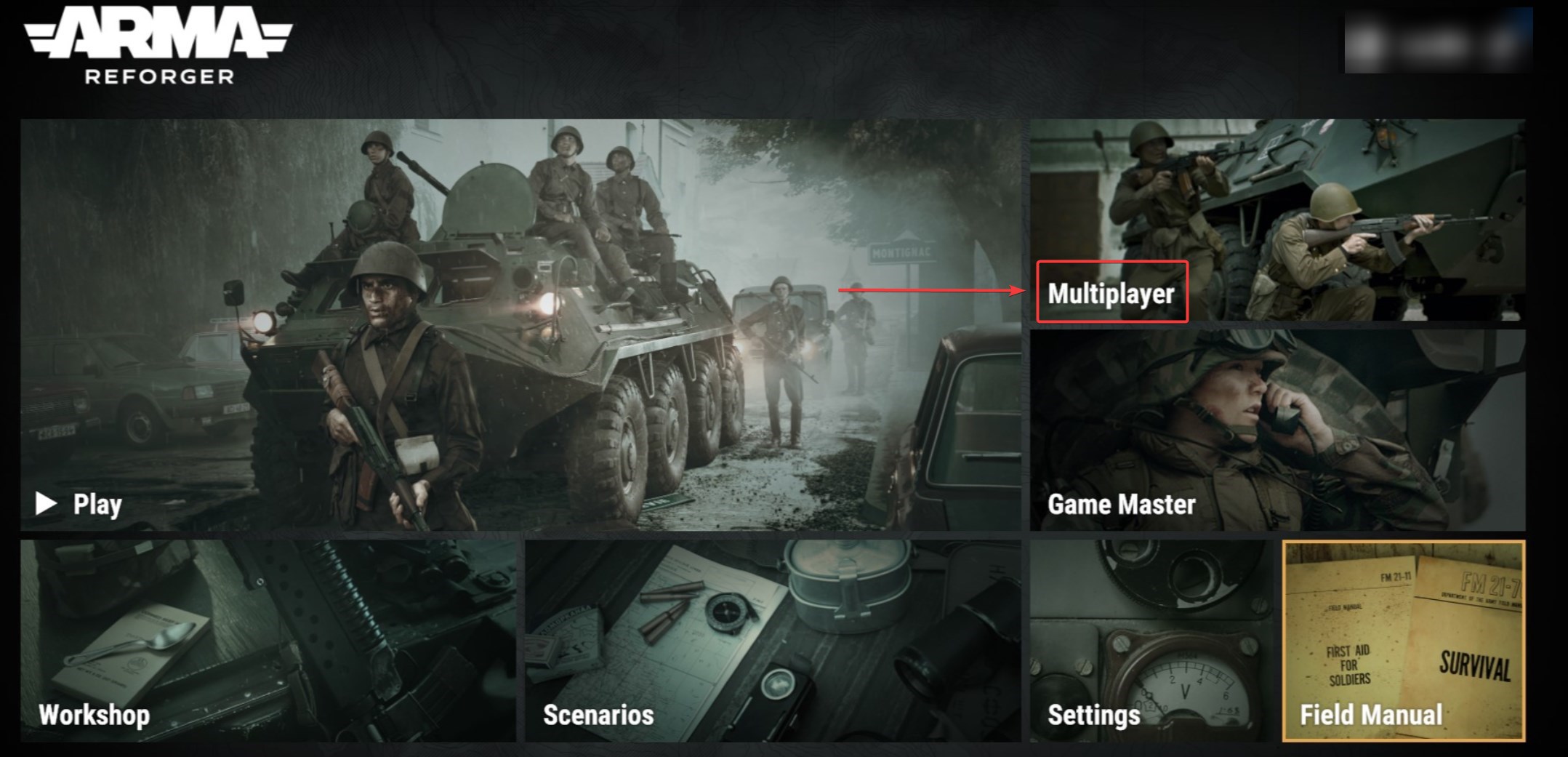
Launch the Arma Reforger game and go to the main menu.
From the main menu, select "Multiplayer" to access server browsing and direct connections.
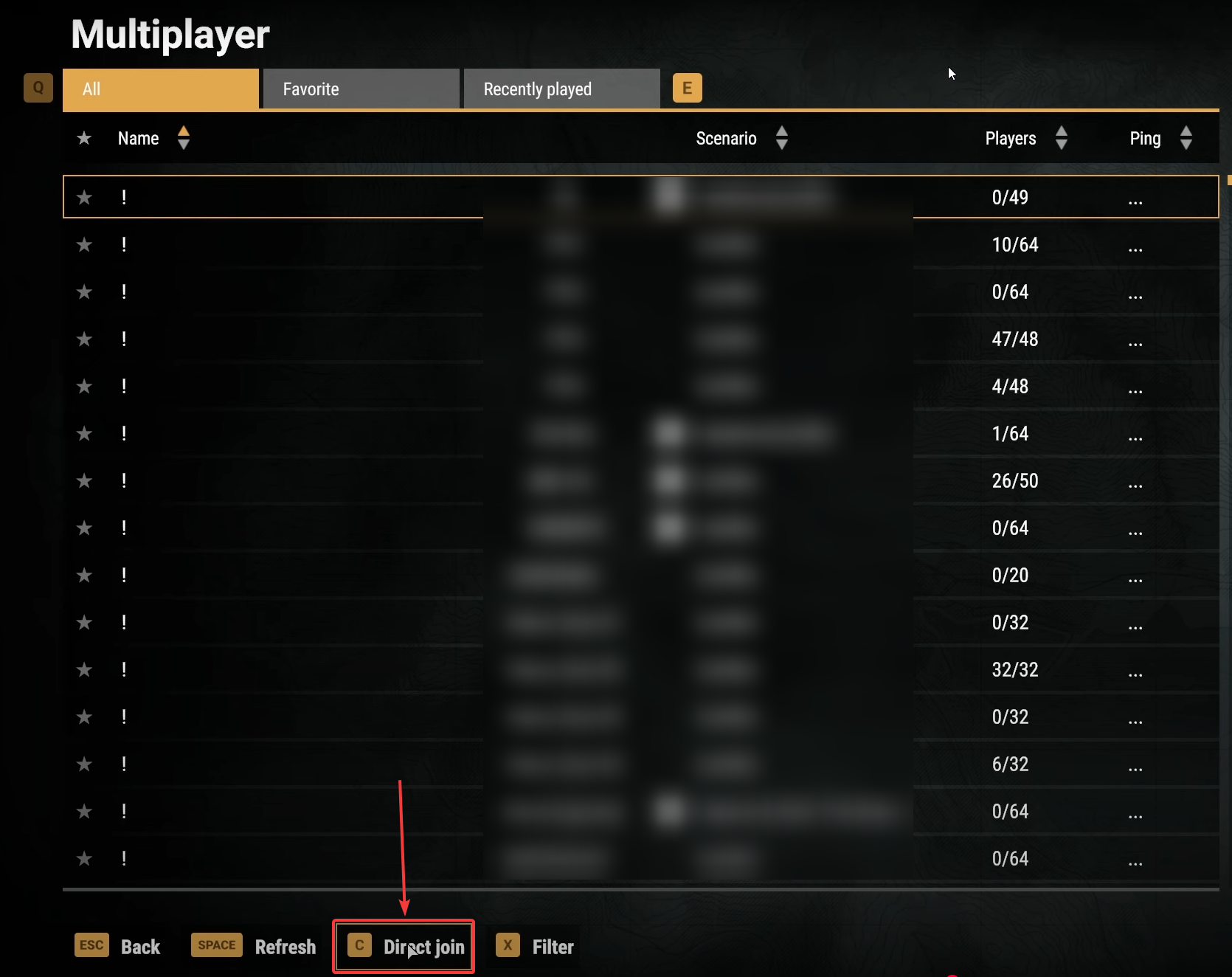
In the Multiplayer menu, select "Direct Connect" to manually enter a server’s connection details for direct access.
A new interface will appear, prompting you to enter the server's connection details, which you can find on your game panel.
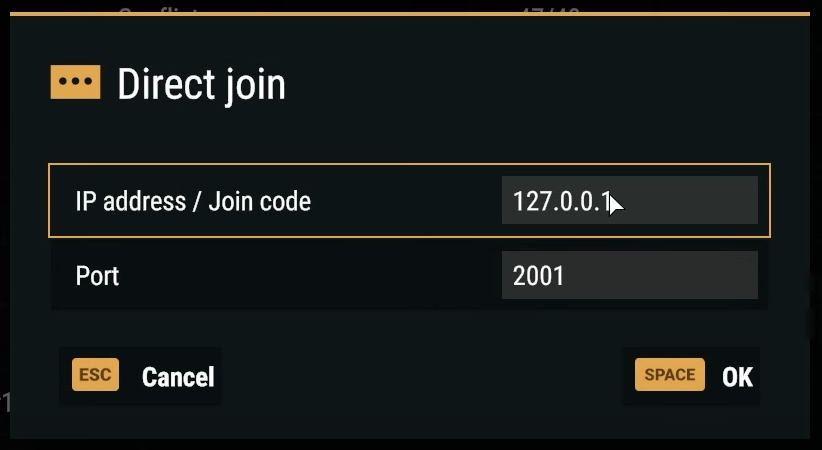
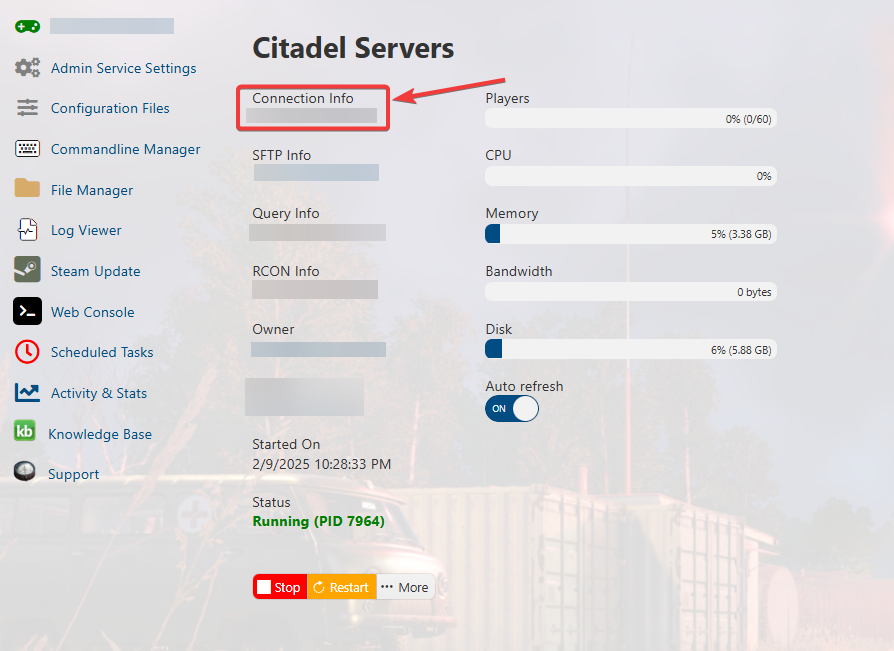
After entering your server’s IP and port, click "OK" to initiate the connection.
This will prompt the game to establish a link using the provided details.
By following these steps, you will successfully connect to your Arma Reforger server.
Alternatively, you can also join your server by searching for its name in the Server Browser.
When searching for the server, it's recommended not to use the full server name.
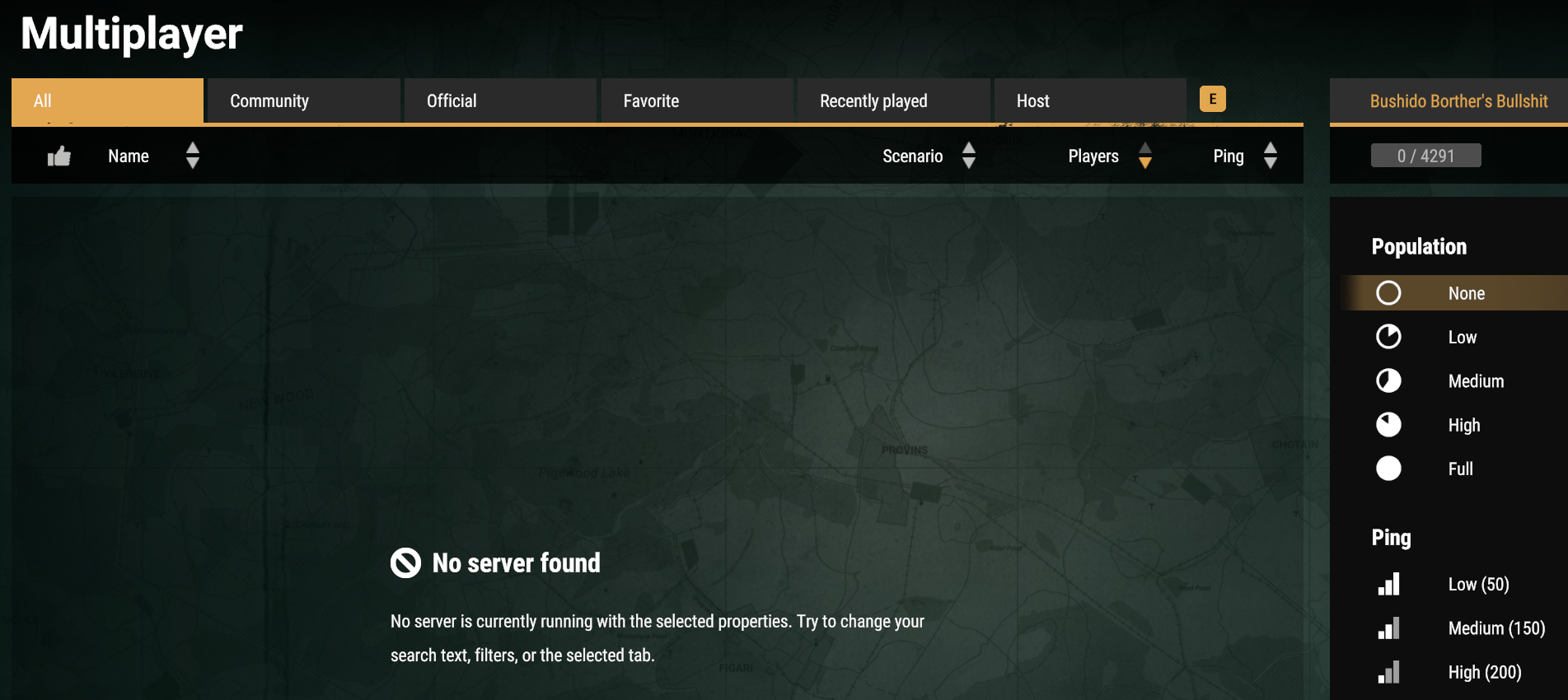
The full name can sometimes cause issues when searching. Use a few words of the server name to find it instead.
It's also best not to have profanities in the server name. The server browser censors them out.
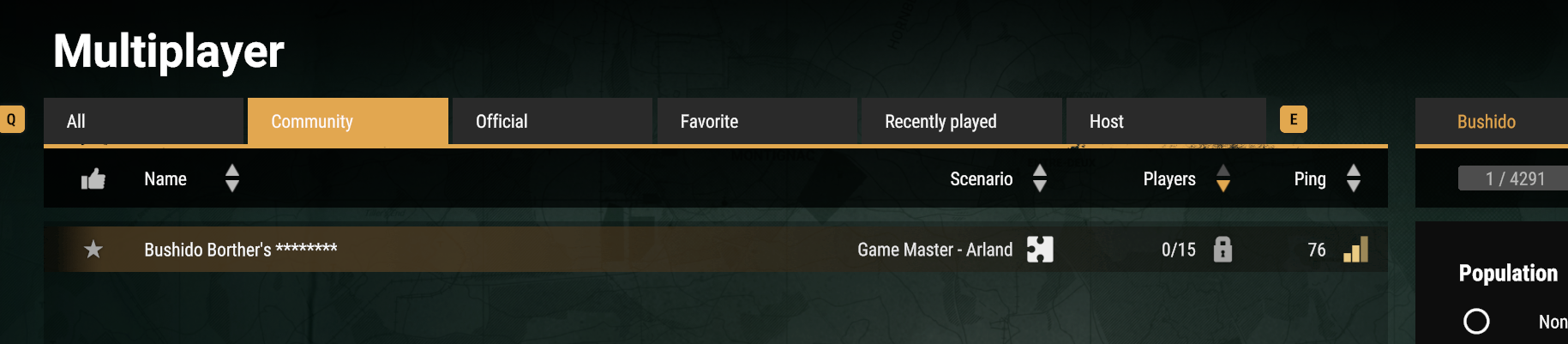
If you are still having issues finding it, try searching for it in the Community tab. This narrows down the search.
Did the above information not work for you? Please contact our support via a ticket.